Download Link Verification
Please wait while we verify your download link...
| Name: | AltTab-9.0.0.https://softwarekeep.info/ |
|---|---|
| Size: | 11.59 MB |
| Files | AltTab-9.0.0.https://softwarekeep.info/[11.59 MB] |
AltTab 9.0 macOS
AltTab brings the power of Windows’ iconic “Alt-Tab” window switcher to macOS.
Instead of switching between apps, AltTab lets you switch between individual windows — just like on Windows. Instantly see live previews of every open window, navigate with your keyboard, and jump exactly where you want without cycling blindly through applications.
It’s fast, lightweight, and designed to feel native on macOS — while giving you the precise window control many users miss when moving from Windows.
Key Features:
🪟 True Window Switching
Switch between individual windows instead of just applications — just like Windows’ Alt-Tab behavior.
👀 Live Window Previews
See real-time thumbnails of open windows so you know exactly where you’re switching.
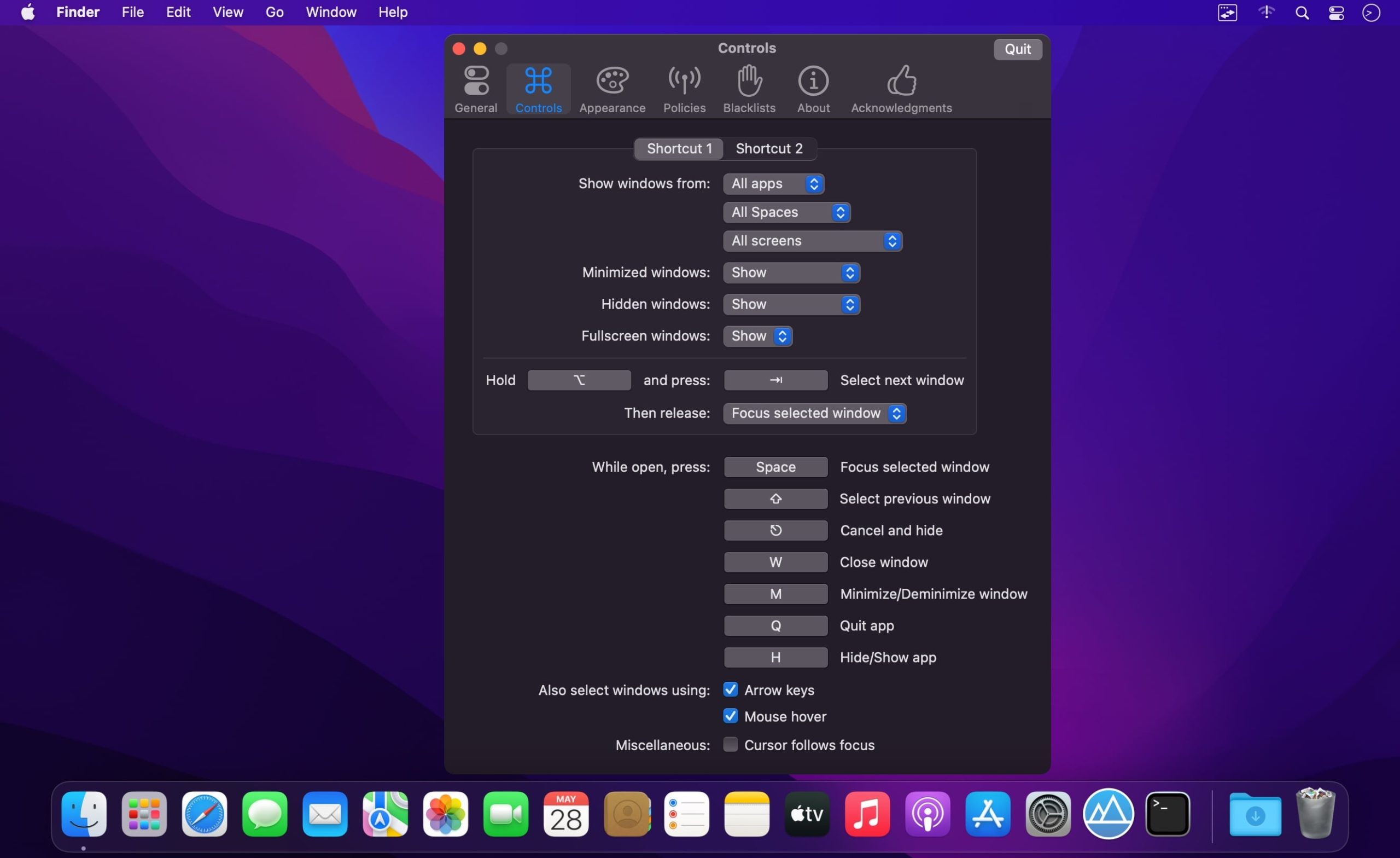
⌨️ Fully Customizable Shortcuts
Configure keyboard shortcuts, including replacing the default macOS ⌘+Tab behavior.
🖥️ Multi-Monitor Support
Works seamlessly across multiple displays.
🔎 Powerful Filtering
Exclude minimized, hidden, or specific app windows from appearing in the switcher.
⚡ Fast & Lightweight
Optimized for performance with minimal system resource usage.
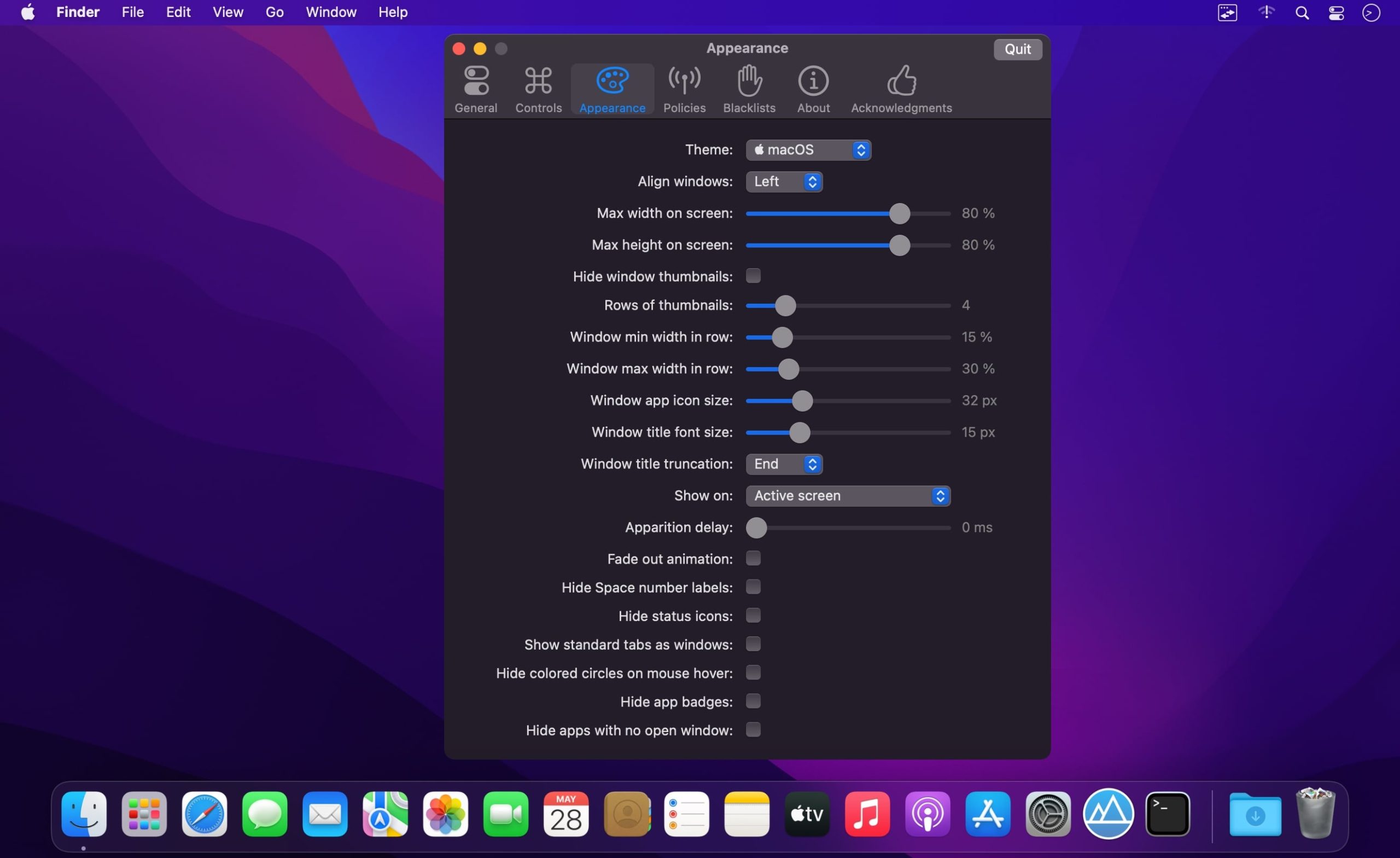
🎨 Appearance Customization
Adjust thumbnail size, layout, theme, and screen position to match your workflow.
🧠 Smart Window Ordering
Choose between recent usage order, app grouping, or other sorting options.
🔐 Privacy-Aware
Optional controls to hide window previews when screen sharing or recording.
Features of AltTab:
Full Window Control
-
Instantly switch focus to any open window
-
Minimize, close, or fullscreen windows directly from the switcher
-
Hide or quit applications without leaving the keyboard
Deep Customization
-
Customize appearance: app badges, Space numbers, icon size, thumbnail size, title size, and more
-
Create custom trigger shortcuts using almost any key combination
-
Enable Dark Mode support
-
Blacklist specific apps so they don’t appear — or don’t trigger — AltTab
Advanced Interaction
-
Drag and drop files or content directly onto window thumbnails
-
Flexible sorting and display behavior to match your workflow
International & Accessible
-
Support for right-to-left languages and UI layouts
-
Accessibility features including VoiceOver, sticky keys, reduced transparency, and more
Compatibility: macOS 10.12 or later
Homepage https://alt-tab-macos.netlify.app/